

Two Separate Balances
Deposit Balance
Your deposit balance is credited every time a deposit transaction is successfully collected from a user. When a customer pays via mobile money, bank checkout, or card, those funds land in your deposit balance after reconciliation. Think of it as: money you’ve collected from your users.Payout Balance
Your payout balance is what funds withdrawals (disbursements to users). When you initiate a withdrawal via the API, the amount is immediately debited from your payout balance. If your payout balance is zero, withdrawal requests will fail with insufficient funds. Think of it as: money available to send out.Viewing Your Balances
In the dashboard, go to Wallets in the left sidebar. Each currency has its own wallet card showing both balances separately.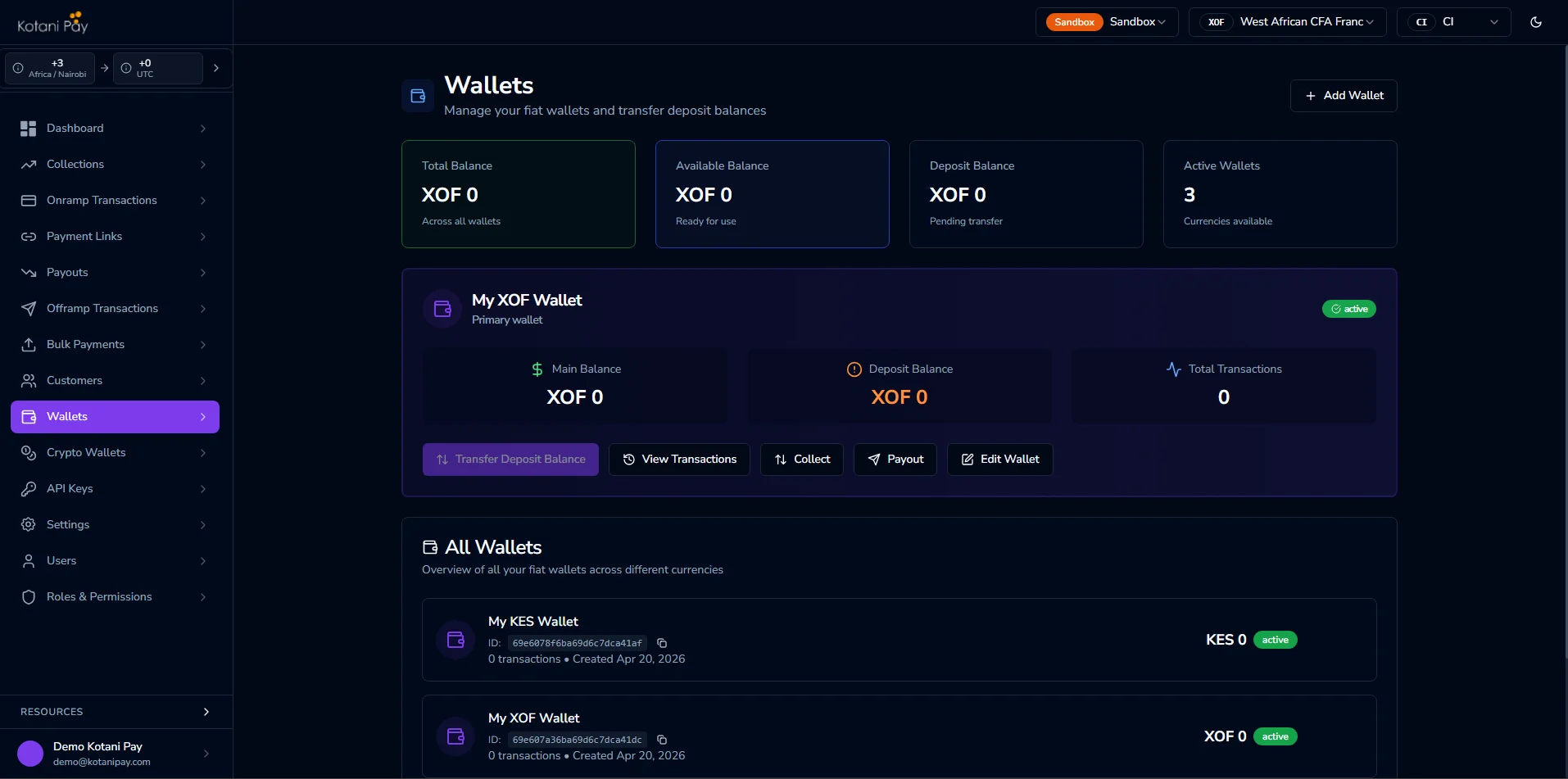
Transferring from Deposit to Payout Balance
Before you can send money to users, you need funds in your payout balance. You can move funds from your deposit balance to your payout balance at any time.From the Dashboard
- Go to Wallets in the sidebar
- Find the wallet for the currency you want to transfer
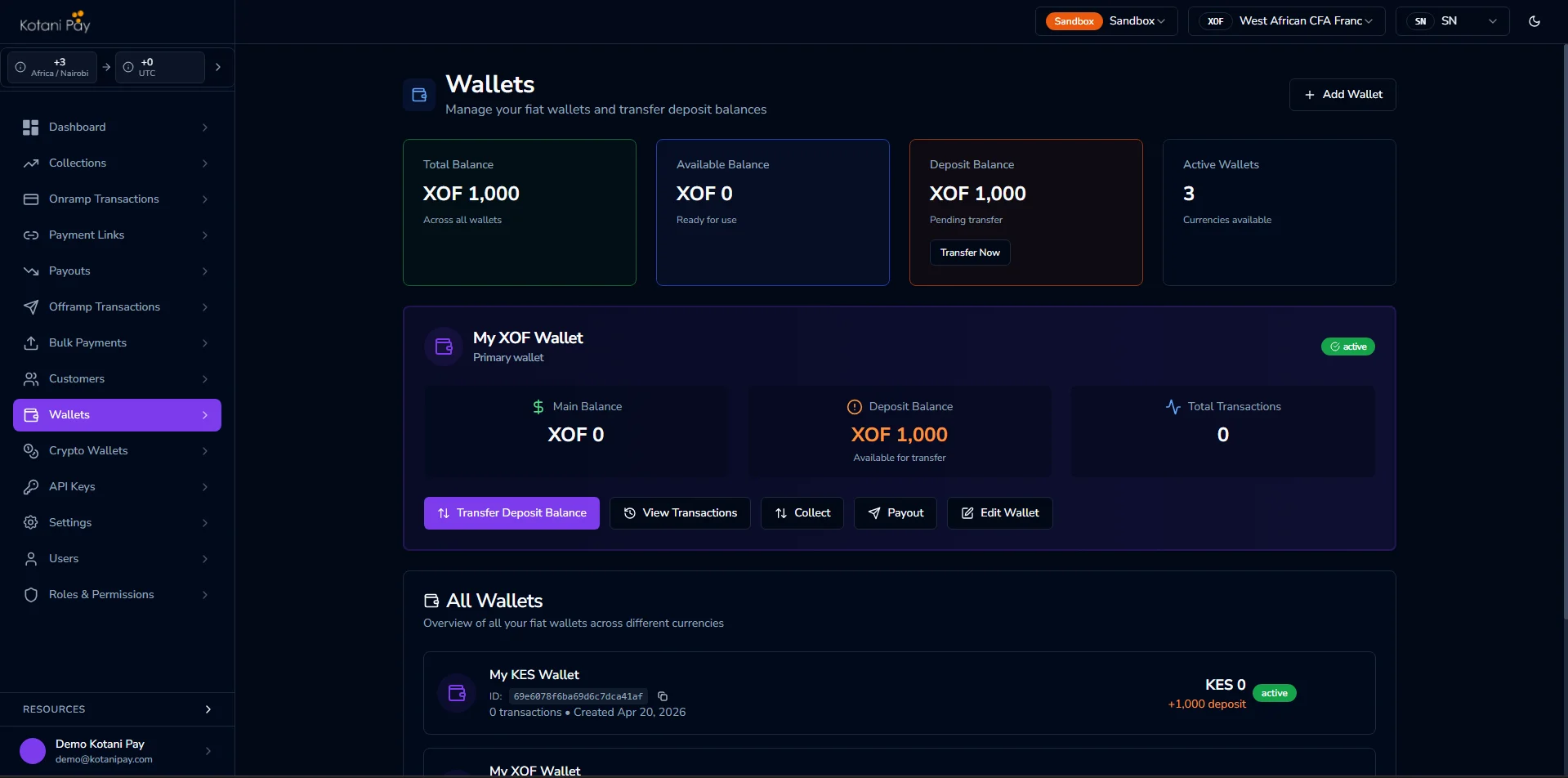
- Click the Transfer Deposit Balance button on that wallet card
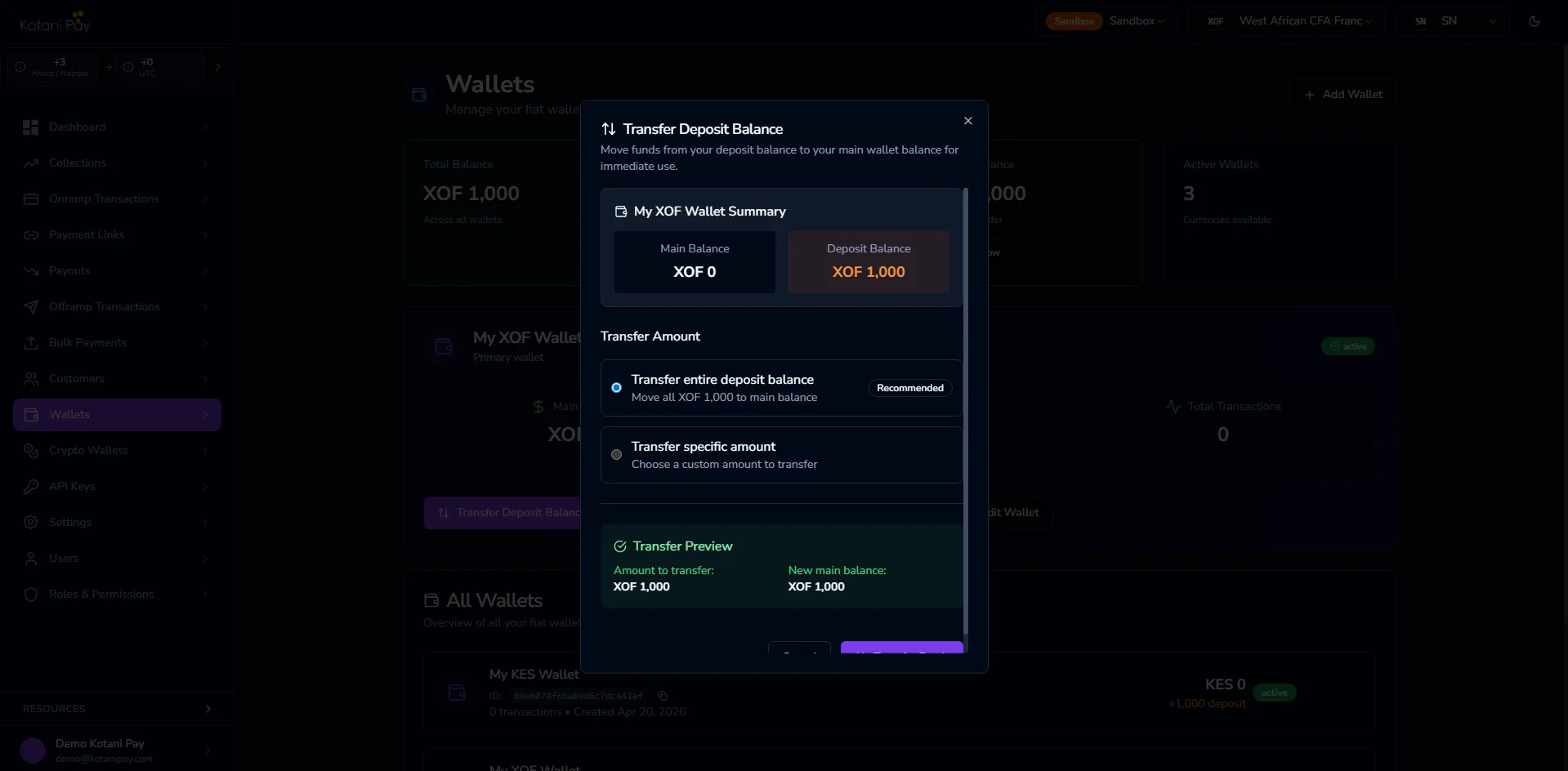
- Enter the amount to transfer and confirm
Via the API
See the Transfer Deposit Balance endpoint in the API reference for the full request and response details. The transfer is immediate — your payout balance increases and your deposit balance decreases by the same amount.Settlement
Settlement is the process of moving your collected funds out of Kotani Pay to your external account. Settlement requests follow an API-driven lifecycle — see Settlement Request for the fullPENDING → UNDER_REVIEW → APPROVED → PROCESSED lifecycle, batch/merge flows, and webhook events.
How Settlement Works
1
Submit your request
Submit a settlement request from the Wallets page in the dashboard, or programmatically via POST /api/v3/integrator/settlements.
2
Let the team know
If you submitted through the dashboard, also reach out through your designated communication channel (e.g., Slack) to confirm you’ve submitted a request — this helps the team pick it up for review promptly.
3
Review and approval
A Kotani Pay agent reviews the request (
UNDER_REVIEW). Once approved (APPROVED), the requested amount is disbursed to your destination account.4
Funds disbursed
Once funds reach your destination, the status moves to
PROCESSED and the settlement is complete.callbackUrl or notification preferences — see Settlement Request for the full event list.
Common Questions
Why did my withdrawal fail with insufficient funds? Withdrawals pull from your payout balance, not your deposit balance. If you have collected deposits but haven’t transferred them to your payout balance, you’ll see an insufficient funds error even though you have a deposit balance. Use the Transfer Deposit Balance flow to move funds across. Do I need to move funds to the payout balance before every withdrawal? You only need to ensure your payout balance covers the withdrawals you’re processing. Many integrators fund the payout balance in bulk (e.g., top it up at the start of the day) rather than per transaction. What currency do I receive settlement in? Settlement currency and destination are set on the request itself — either inlinebeneficiaryDetails or a saved beneficiary. Speak to your account manager if you’re unsure which options are available to you.
How long does settlement take?
Total time depends on how quickly the request is reviewed (UNDER_REVIEW) and approved. If you submitted via the dashboard, reaching out through your communication channel right after submitting helps the team pick it up for review promptly.
Is there an API endpoint to request settlement?
Yes — call POST /api/v3/integrator/settlements, or submit from the Wallets page in the dashboard. See Settlement Request for the full lifecycle, batch/merge support, and webhook events.
Related
Fiat Wallet API
Transfer deposit balance via the API
Withdrawal Flows
How withdrawals debit from your payout balance